The Agent Interactions report provides a count of interactions handled by the selected agents with columns for each type of interaction (by Type) or each interaction status (by Status). They show how active each of the selected agents were during the time frame specified. The time frame for the report is based upon the date / time the agent completed their interaction (sent email, created a note, etc.).
To see summary information based upon when interactions were received, see either the Interactions by Type - Grouped by Topic or Topic Summary reports.
Setup Required
There is no setup required. The report uses standard iService interaction information.
Parameter Selection
Select the segment and time frame for the report.
Report Example
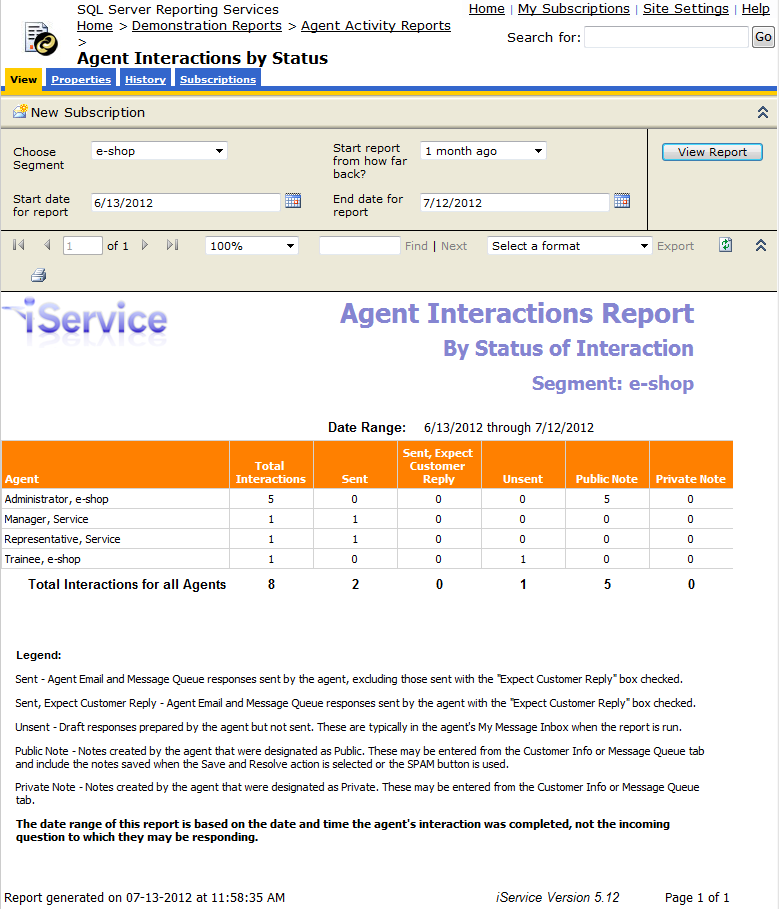
By Status
Click to expand
Report Legend:
Sent - Agent Email and Message Queue responses sent by the agent, excluding those sent with the "Expect Customer Reply" box checked.
Sent, Expect Customer Reply - Agent Email and Message Queue responses sent by the agent with the "Expect Customer Reply" box checked.
Unsent - Draft responses prepared by the agent but not sent. These are typically in the agent's My Message Inbox when the report is run.
Public Note - Notes created by the agent that were designated as Public. These may be entered from the Customer Info or Message Queue tab and include the notes saved when the Save and Resolve action is selected or the SPAM button is used.
Private Note - Notes created by the agent that were designated as Private. These may be entered from the Customer Info or Message Queue.
The date range of this report is based on the date and time the agent's interaction was completed, not the incoming question to which they may be responding.
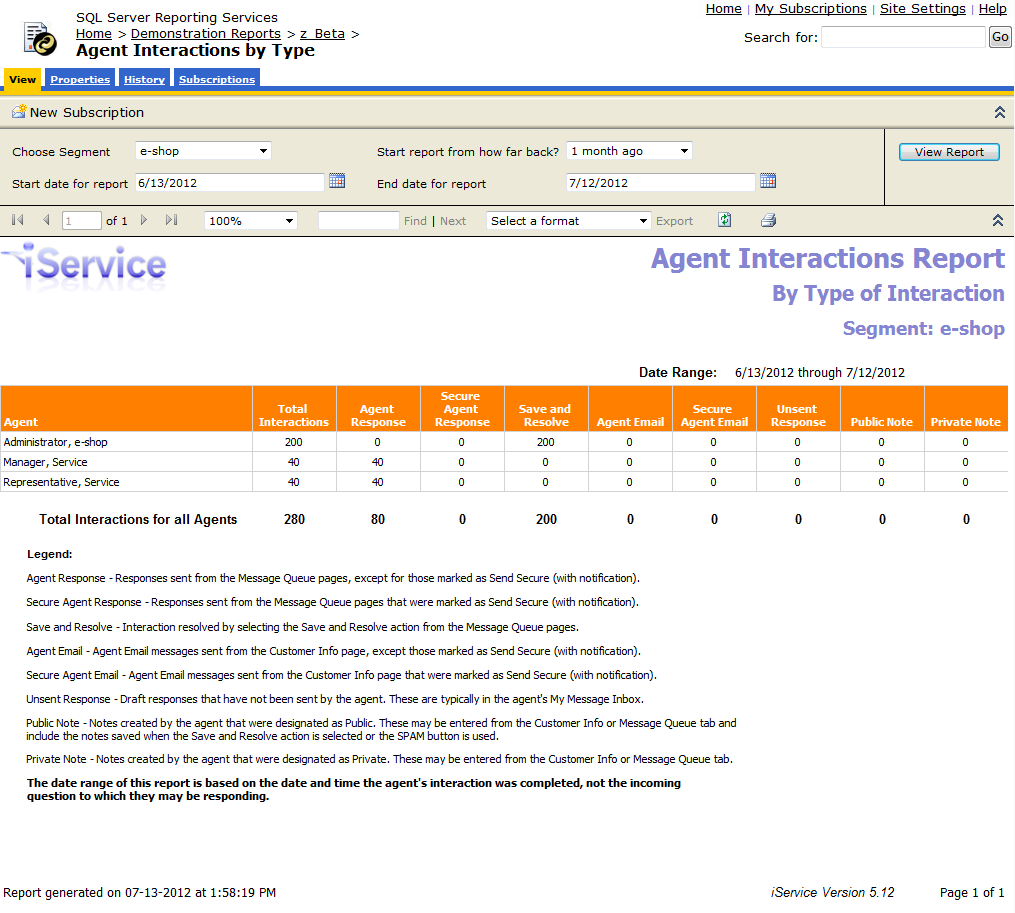
By Type
Click to expand
Report Legend:
Agent Response - Responses sent from the Message Queue pages, except for those marked as Send Secure (with notification).
Secure Agent Response - Responses sent from the Message Queue pages that were marked as Send Secure (with notification).
Save and Resolve - Interaction resolved by selecting the Save and Resolve action from the Message Queue pages.
Agent Email - Agent Email messages sent from the Customer Info page, except those marked as Send Secure (with notification).
Secure Agent Email - Agent Email messages sent from the Customer Info page that were marked as Send Secure (with notification).
Public Note - Notes created by the agent that were designated as Public. These may be entered from the Customer Info or Message Queue tab and included the notes saved when the Save and Resolve action is selected or the SPAM button is used.
Private Note - Notes created by the agent that were designated as Private. These may be entered from the Customer Info or Message Queue tab.
The date range of this report is based on the date and time the agent's interaction was completed, not the incoming question to which they may be responding.
