Service Level - by Operating Hours - by Messages or by Percentage - Legend |
Scroll Prev Top Next More |
The Topic Service Level by Operating Hours Reports counts all interactions that were received by the selected segment during the time frame specified. It displays their total by topic and the service level achieved across various time categories, but excludes non-operating hours within its calculation of service level. There are two versions of this report. The by messages version displays the number of messages but within each response time category, while the by percentage version displays the percentage of messages answered within each time category.
Setup Required
There is no setup required. The report uses standard iService interaction information.
Parameter Selection
Select the segment, the topics to measure, your operating hours, and the time frame.
Report Example
By Messages
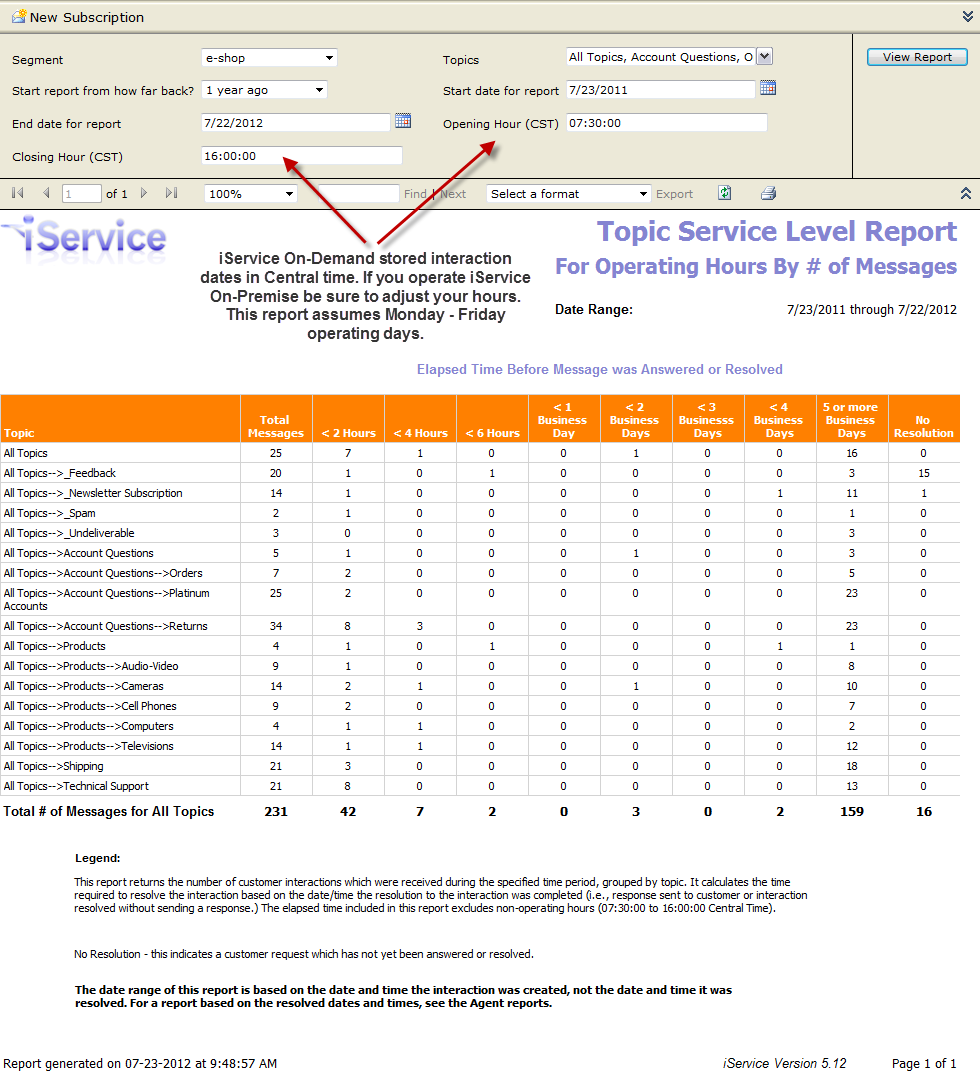
Click to expand
By Percentage
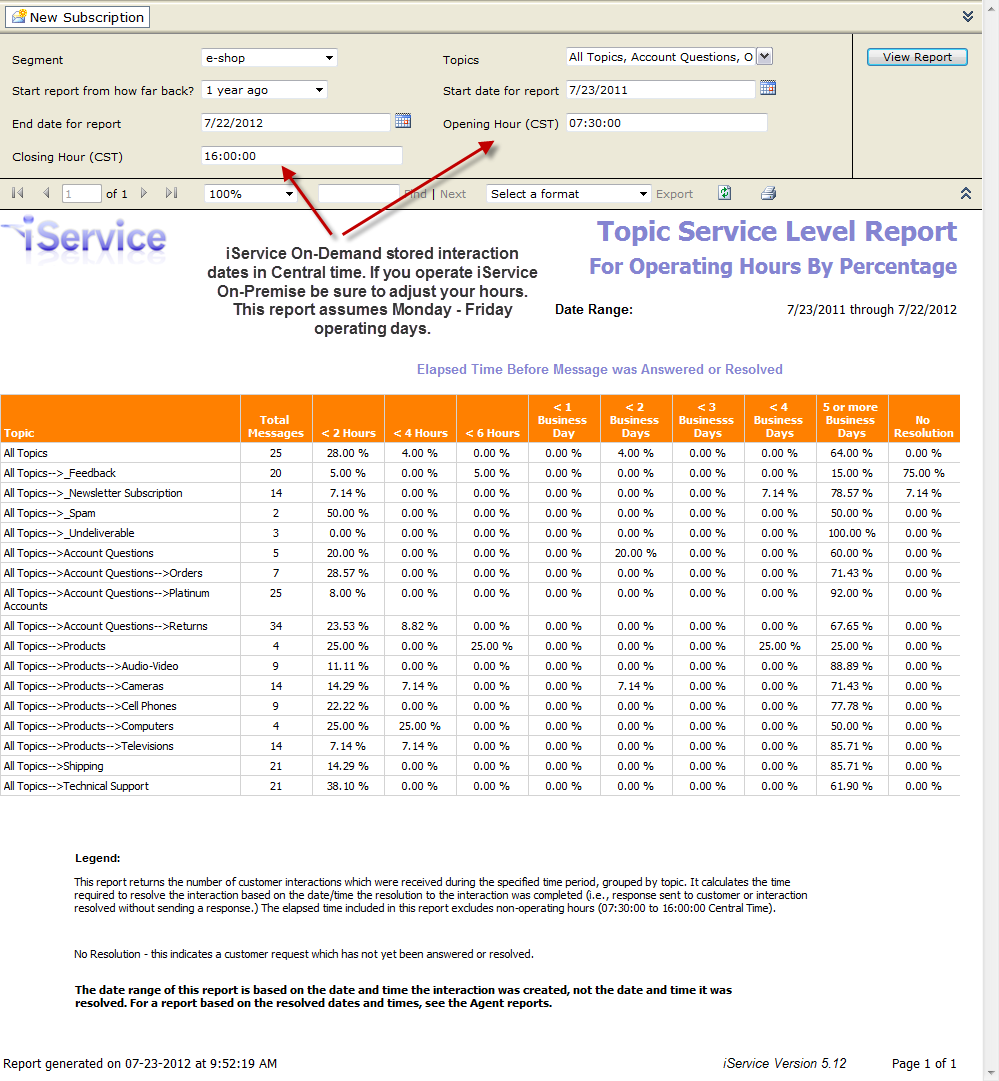
Click to expand
Report Legend
This report returns the number of customer interactions which were received during the specified time period, grouped by topic. It calculates the time required to resolve the interaction based on the date?time the resolution to the interaction was completed )i.e., response sent to customer or interaction resolved without sending a response.) The elapsed time included in this report excludes non-operating hours (07:30:00 to 16:00:00 Central Time).
No Resolution - This indicates a customer request which has not yet been answered or resolved.
The date range of this report is based on the date and time the interaction was created, not the date and time it was resolved. For a report based on the resolved dates and times, see the Agent reports.
