There are three sets of time of day reports: Chat Time of Day Report (for chats), Time of Day Report (for messages), and Time of Day by Individual Dates. All reports show a breakdown of when messages arrive during the day, and how long it takes to answer them. Use this report to understand your peak staffing needs.
Setup Required
There is no setup required. The report uses standard iService interaction information.
Parameter Selection
Chat Time of Day: Select a segment, topics to include, and the time frame to include.
Time of Day: Select the segment, topics to include, whether to show charts, whether to show half-hour increments, start and end time during the day, and the time frame to include in the report.
Time of Day by Individual Dates: Select the segment, topics to include, whether to show charts, whether to show half-hour increments, start and end time during the day, and individual dates to include in the report. This report does not use a date range; instead pick specific dates.
Report Examples
Chat Time of Day Report
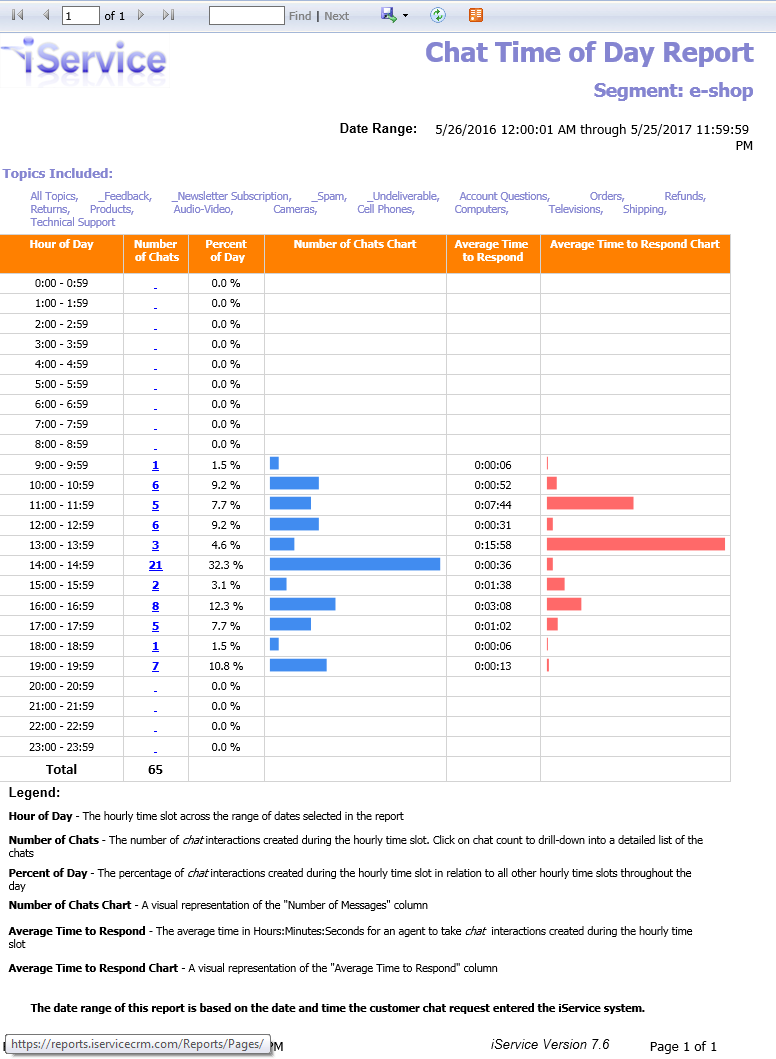
The time to respond represents how long the customer waited before they were connected with an agent.
Click to enlarge
Report Legend
Hour of Day - The hourly time slot across the range of dates selected in the report.
Number of Chats - The number of chat interactions created during the hourly time slot. Click on chat count to drill-down into a detailed list of the chats
Percent of Day - The percentage of chat interactions created during the hourly time slot in relation to all other hourly time slots throughout the day
Number of Chats Chart - A visual representation of the "Number of Messages" column
Average Time to Respond - The average time in Hours:Minutes:Seconds for an agent to take chat interactions created during the hourly time slot
Average Time to Respond Chart - A visual representation of the "Average Time to Respond" column
The date range of this report is based on the date and time the customer chat request entered the iService system.
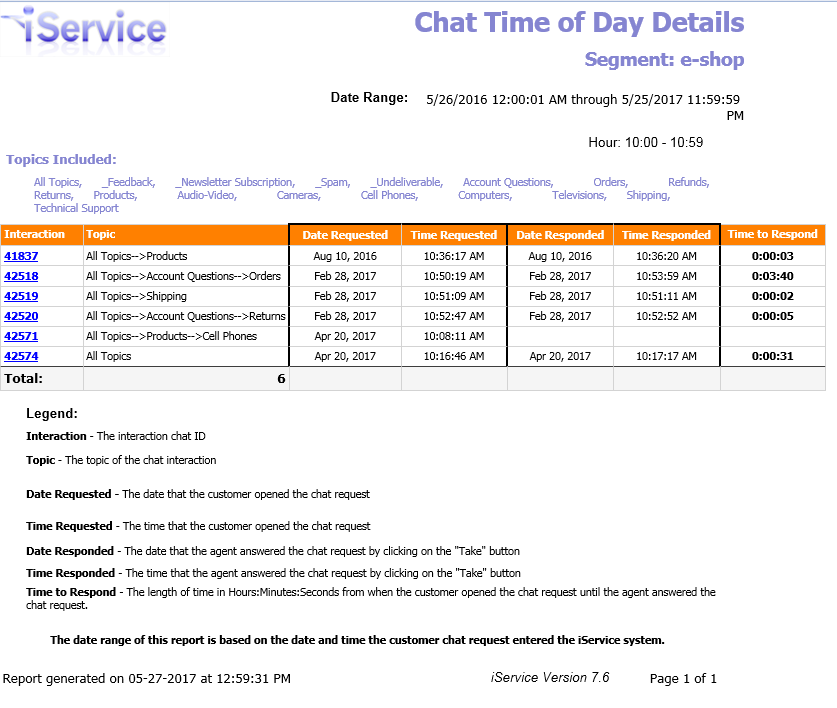
Click a number in the Number of Chats column to load the details for that time period.
Click to enlarge
Report Legend
Interaction - The interaction chat ID
Topic - The topic of the chat interaction
Date Requested - The date that the customer opened the chat request
Time Requested - The time that the customer opened the chat request.
Date Responded - The date that the agent answered the chat request by clicking on the "Take" button
Time Responded - The time that the agent answered the chat request by clicking on the "Take" button
Time to Respond - The length of time in Hours:Minutes:Seconds from when the customer opened the chat request until the agent answered the chat request.
The date range of this report is based on the date and time the customer chat request entered the iService system.
Time of Day Report - Messages
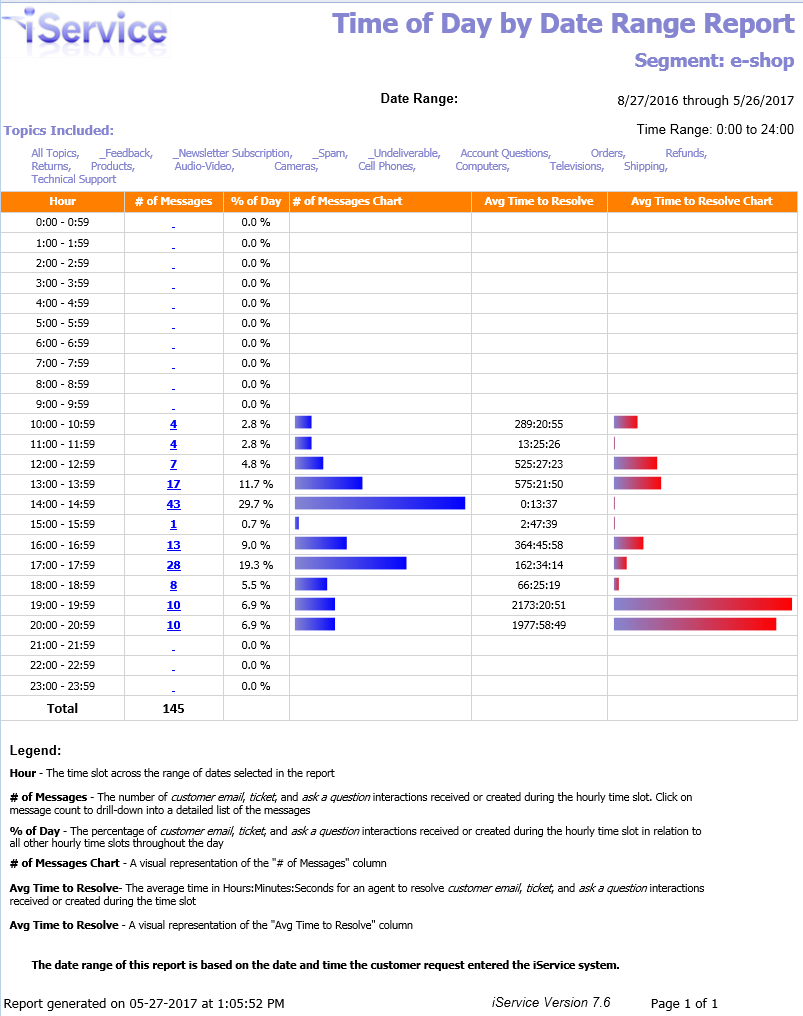
The time to respond represents how long the customer waited before they received an answer from the agent. This is the total resolve time for the message.
Click to enlarge
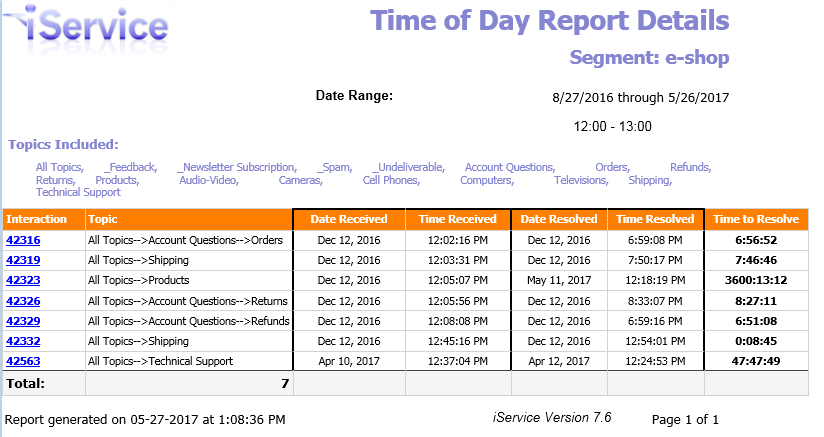
Click a number in the # of Messages column to load the details for that time period.
Click to enlarge
Time of Day by Individual Dates
This version of the time of day report shows each day separately, and includes graphs that show aggregate values per time period.
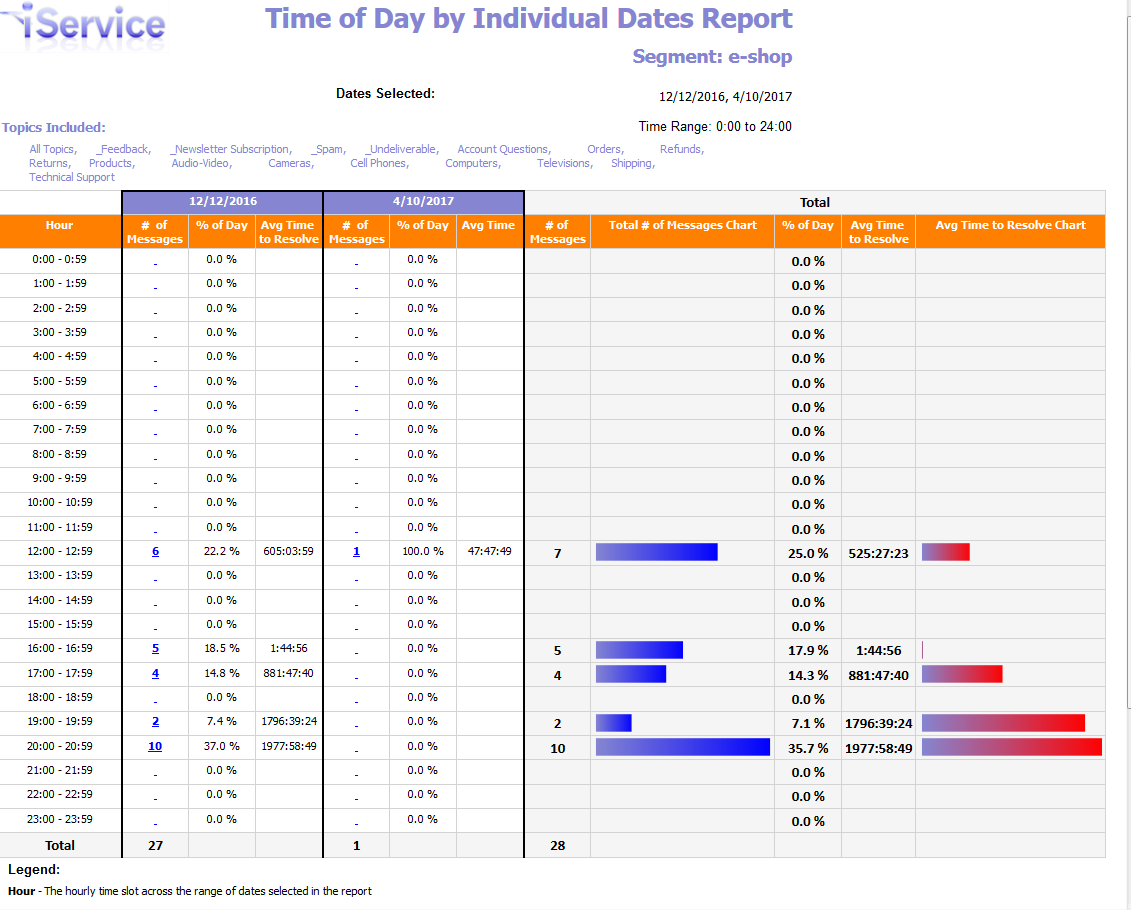
Click to enlarge
Click a number in the # of Messages column to load the details for that time period.
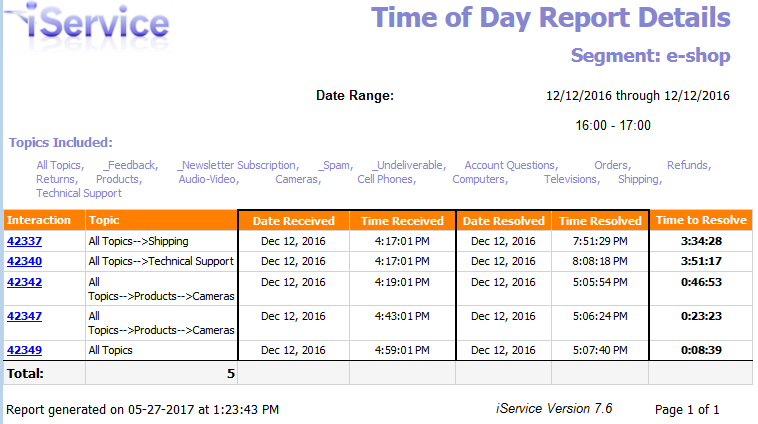
Click to enlarge
