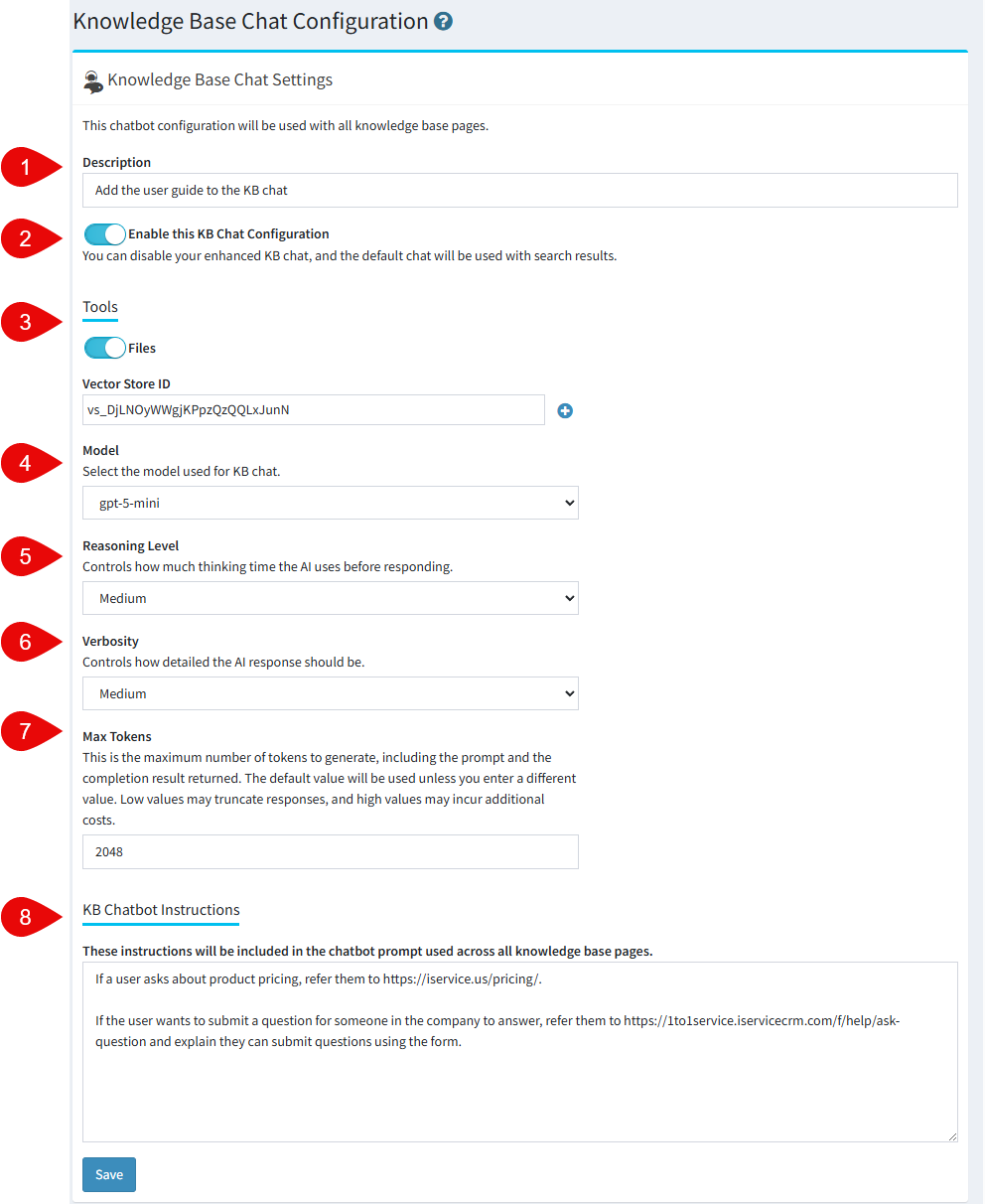
The Knowledge Base Chat Configuration page defines the shared settings used by:
•The Search Interactions agent chat panel, where agents can ask questions interaction search results.
•The Tabs Customer Portal knowledge base chat panels, where customers receive AI‑assisted answers based on public KB articles.
•The internal agent Knowledge Base, where agents access the same articles as customers but also have access to private information.
Because all KB chat instances reference this same configuration, updates made here immediately affect both internal and customer facing chat behavior. Administrators use this page to control retrieval sources, escalation options, and the assistant’s communication style.
# |
Element Name |
Description |
|---|---|---|
1 |
Description |
A short description used to describe the configuration. |
2 |
Enable Configuration |
Enable the configuration for use within Search Interactions and Knowledge Bases |
3 |
Tools |
Enable the tools option to add an OpenAI Vector Store for retrieval augmented generation using your own documents |
4 |
Model |
Select the OpenAI model to use for your chatbot |
5 |
Reasoning Level |
Controls how much internal analysis the model performs before responding, where higher effort produces more thorough and accurate outputs at the cost of additional processing time and tokens. |
6 |
Verbosity |
Determines how detailed the model's reasoning summary is in the response, ranging from a concise high-level trace to a full step-by-step breakdown of how the answer was reached. |
7 |
Max Tokens |
Sets the maximum number of tokens the model can generate in a single response, giving you direct control over output length and helping manage cost and latency. |
8 |
KB Chatbot Instructions |
Add your own instructions to the chatbot for specific use cases |
