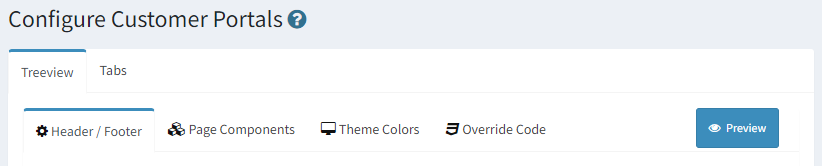
The Tabs portal presents your knowledge base using a tabbed interface that places articles within separate tabs by topic. The data within the Tabs portal is the same as the Treeview portal, but users navigate the site differently.
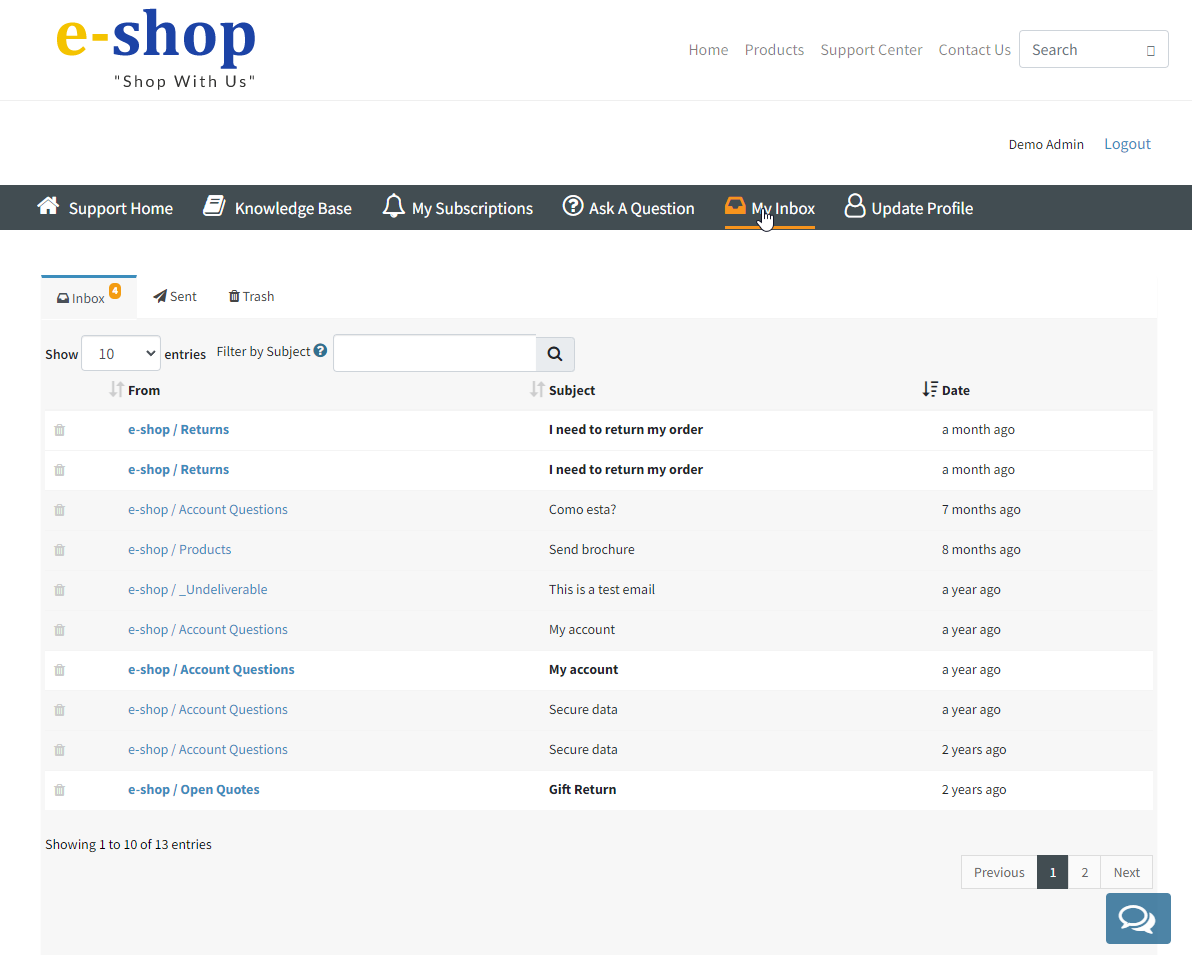
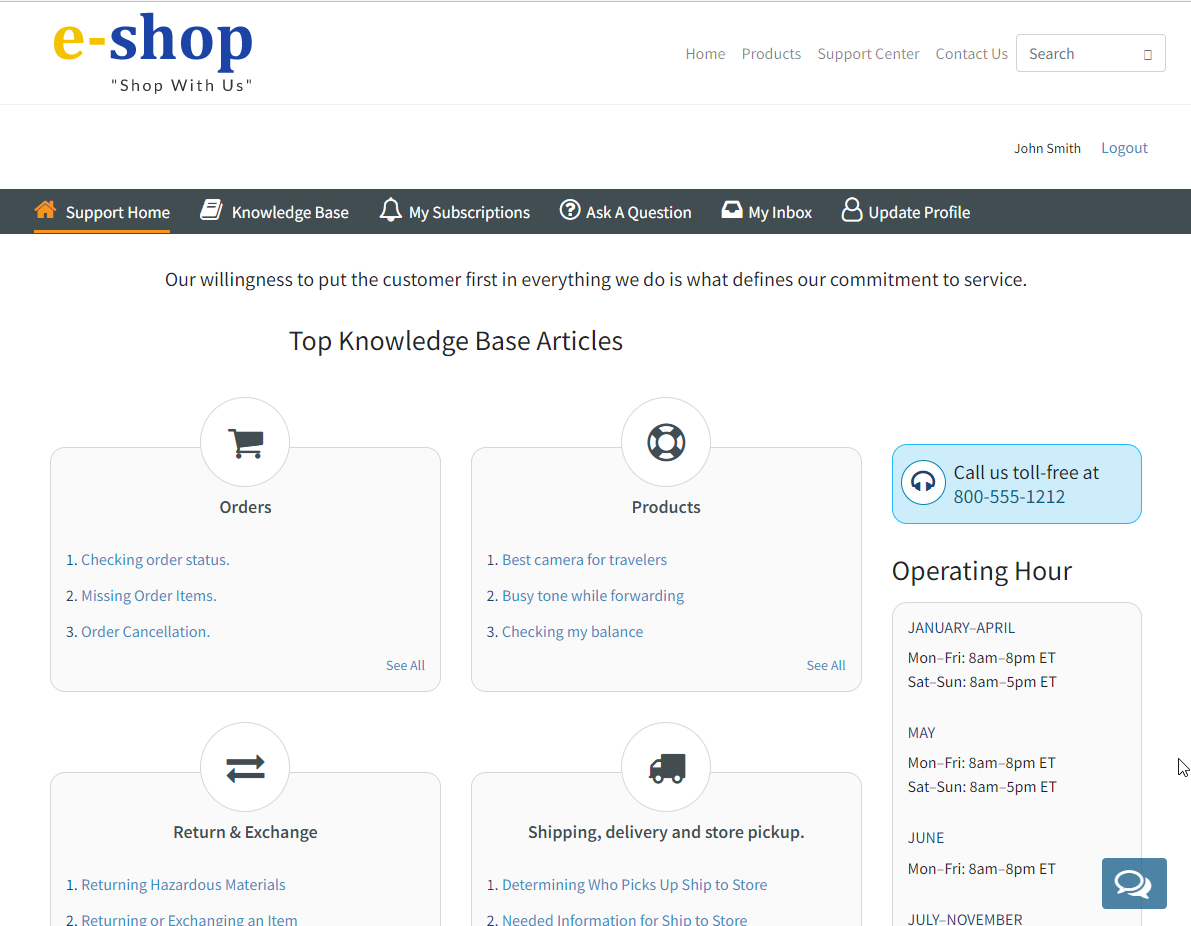
The Tabs version of the portal includes a Support Home tab where you can create your own content. An example support home page is below.
The Support Home page in the Tabs Portal
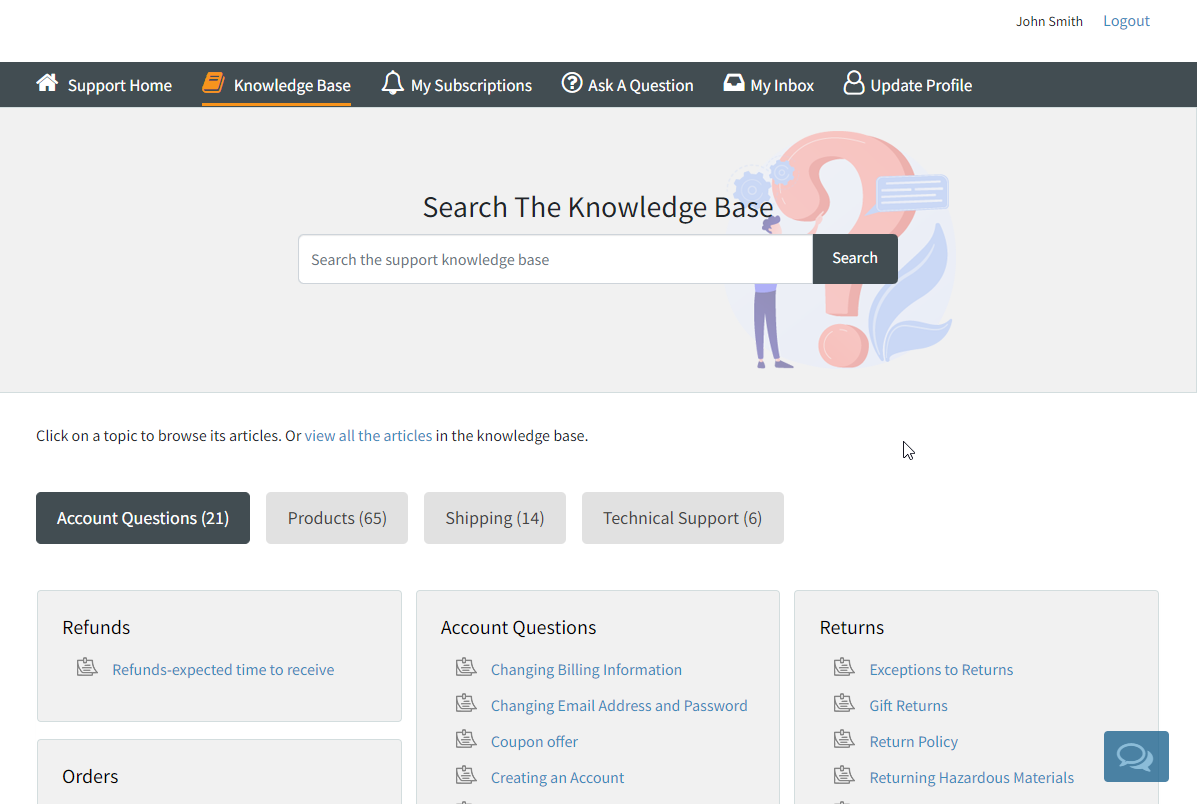
In this example, the topics containing the knowledge base article the content are shown as tabs rather than a tree structure. Users click on a tab to view the article subject lines.
Example of the Tabs Portal
The portal can be configured with components such as a knowledge base, login / registration forms, contacts us forms, and access to the user's history, subscriptions, and contact details. One of the most unique features of the knowledge base is the AI-based semantic search that supports natural language queries, and a chat with search results feature that includes a customizable Chatbot.
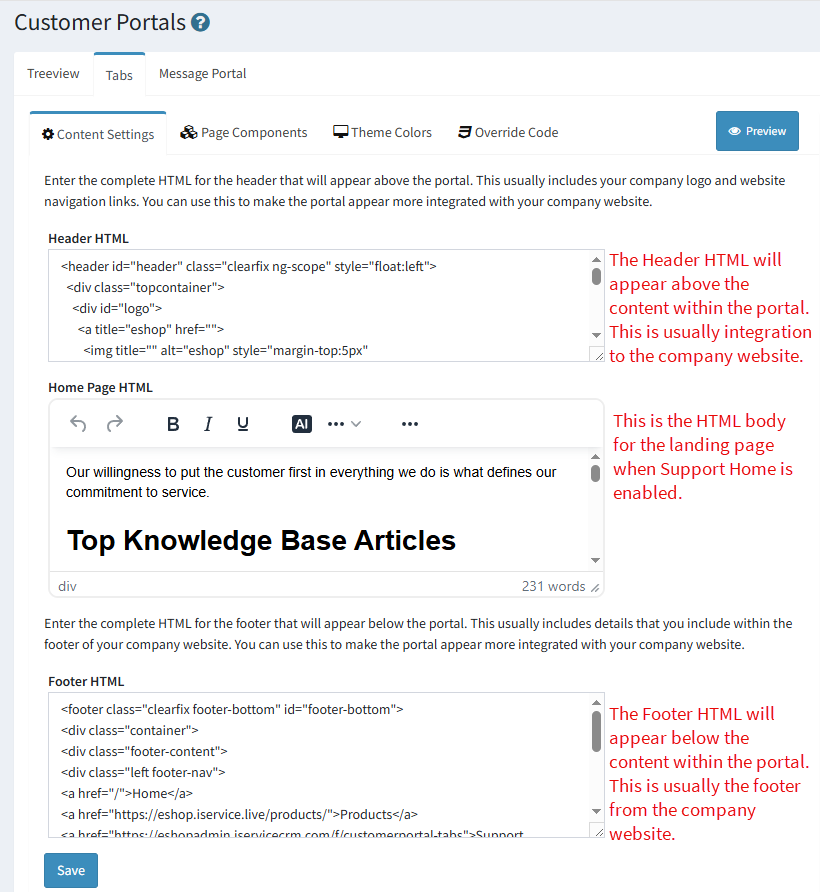
This tab is used to add custom content into the support portal, such as your website header and footer. You can paste HTML directly into the text areas for insertion into the appropriate part of the portal.
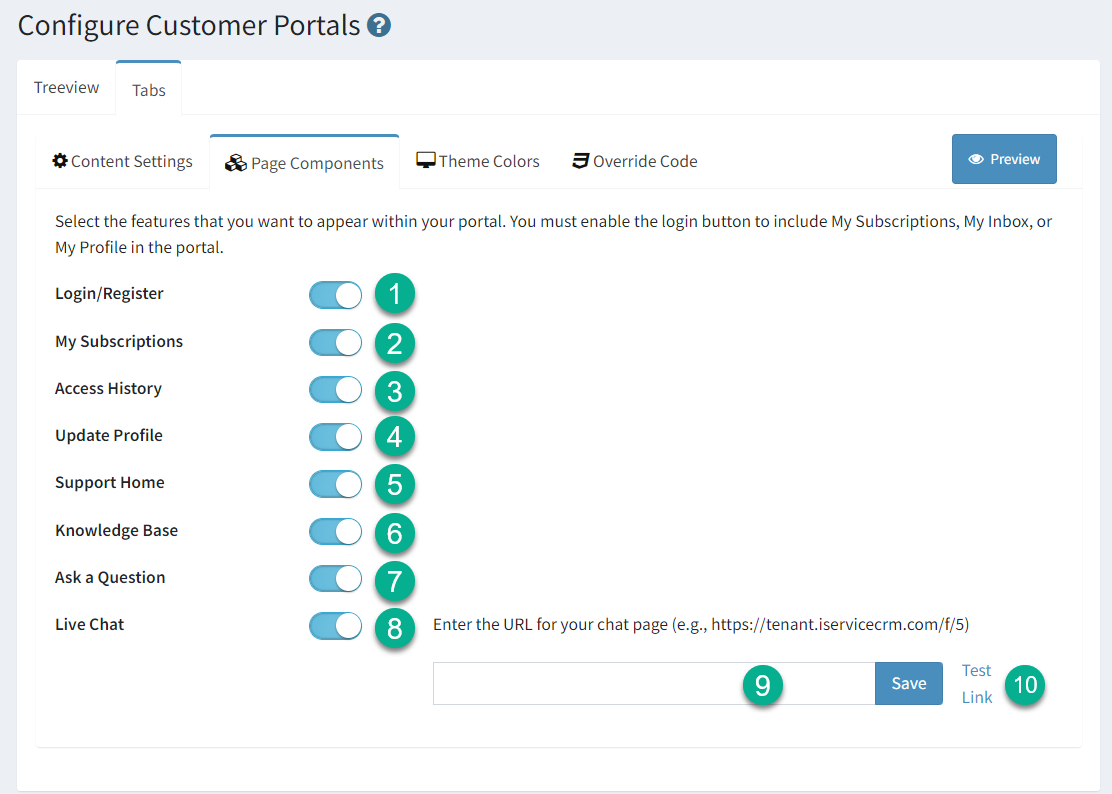
1 - Login / Register - The login panel is required if you want your customers to access their mailing subscriptions, history or profile information. Disabling the login panel will also disable those three switches.
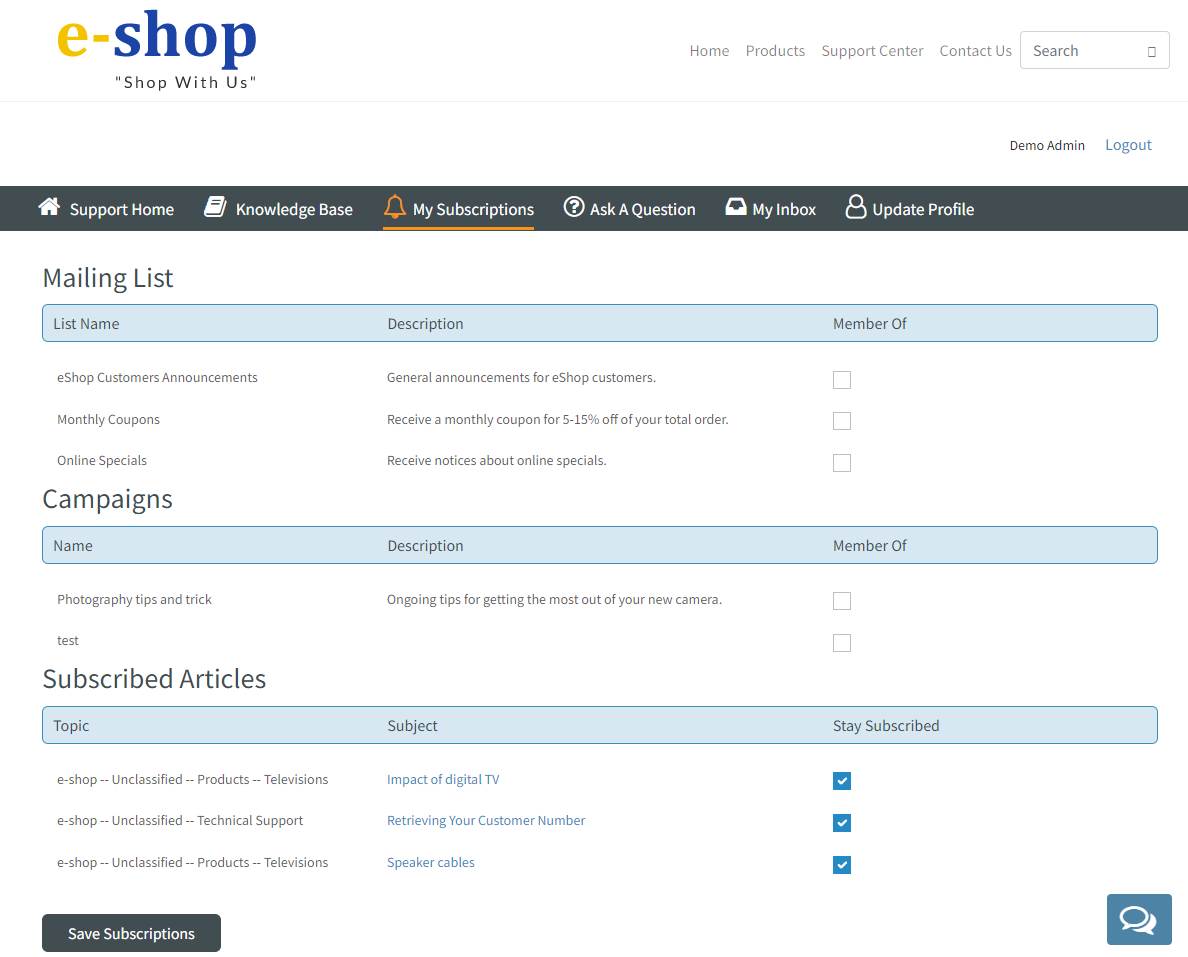
2 - My Subscriptions - If you enable login, you can include your subscription panel within the portal. This include mailing lists, mailing campaigns, and KB articles to which the customer has subscribed.
3 - Access History - If you enable login, you can include interaction history within the portal. This provides a My Inbox tab for the customer where they can view all of the their interaction.
4 - Update Profile - If you enable login, you can include a My Profile section in the portal where customers can access their contact information. They will only see contact properties that are customer viewable. They will only be able to edit or delete properties that are both customer viewable and customer editable. The viewable and editable settings are configured in the Contact Properties Settings page.
5 - Support Home - This is only available in the Tabs portal. This adds a home page to the portal as the first tab that can include custom content. The content for this tab is added within the Header / Footer Content settings tab.
6 - Knowledge Base - You can display knowledge base articles in the portal. If you are not using the knowledge base, turning of this switch will remove that section of the portal.
7 - Ask a Question - The Ask a Question form is a special contact us form that integrates all of your topics, interaction properties, and knowledge base articles into a single form. Users are presented a list of topics automatically generated from your topic tree based on their access rights (public, private, segment). When a topic is chosen, associated interaction properties are presented and required properties must be completed before entered. In the Tabs portal, the form will also present a list of potential answers from articles associated with the selected topic.
8 - Live Chat - Enable this switch to add a chat button to your portal. By default, the builtin chat form is used.
9 - Custom Chatbot URL - You can use a custom iService chat form by entering the URL for the chat window here .
10 - Test Link - You can test the chatbot form selected by clicking this link.
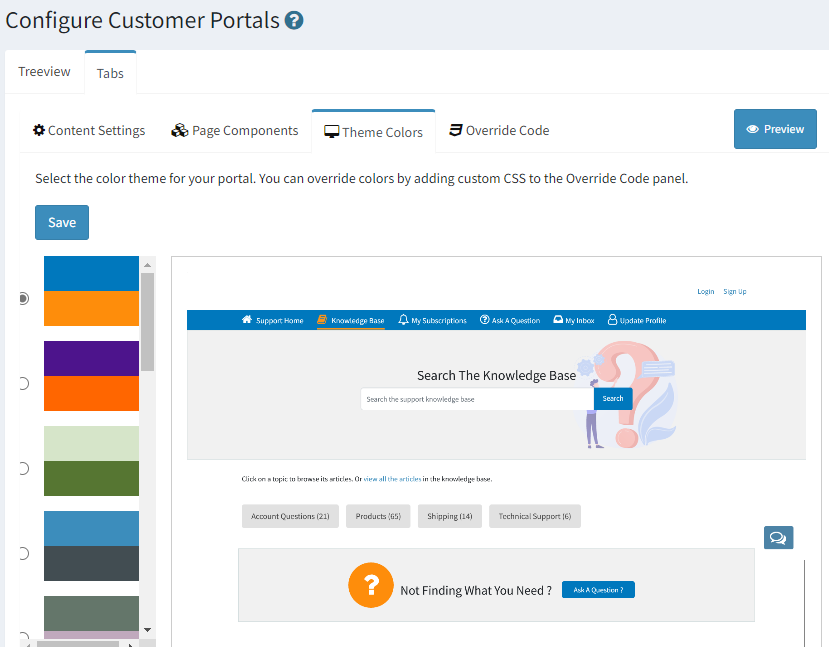
Each portal has color themes you can select to match your company branding. A preview is shown for each theme when selected. Click the Save button after you select the desired theme colors.
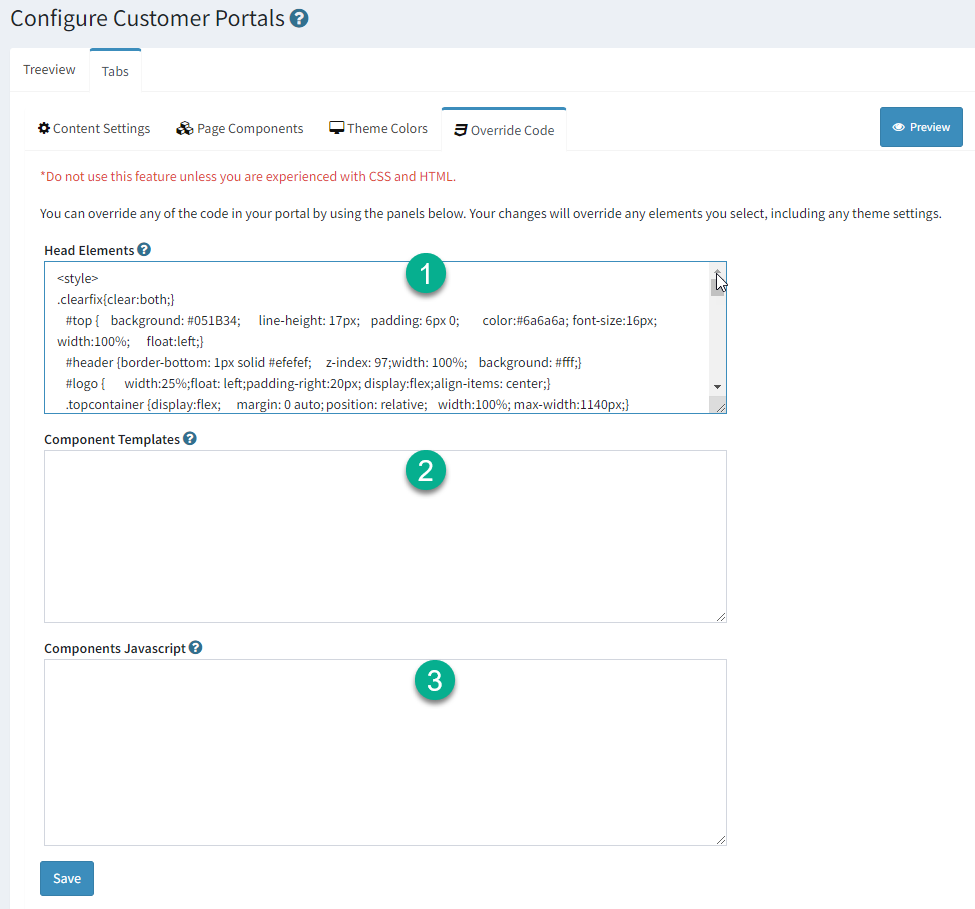
You can override any aspect of the portal using override code. For example, if the theme colors are not appropriate you can set the CSS for any element in the portal here.
Use the Override Page to fully customize a portal
1 - You can add your own code to the HEAD section of the portals page. Be sure to surround your changes with the proper tags, such as <style>, <title>, etc.
2 - You can override the Vue.js code that comprises the customer portal by pasting your updates here.
3 - You can insert your own JavaScript into the customer portal using the section below. Either enclose your JS within script tags or reference a CDN version of the JS.
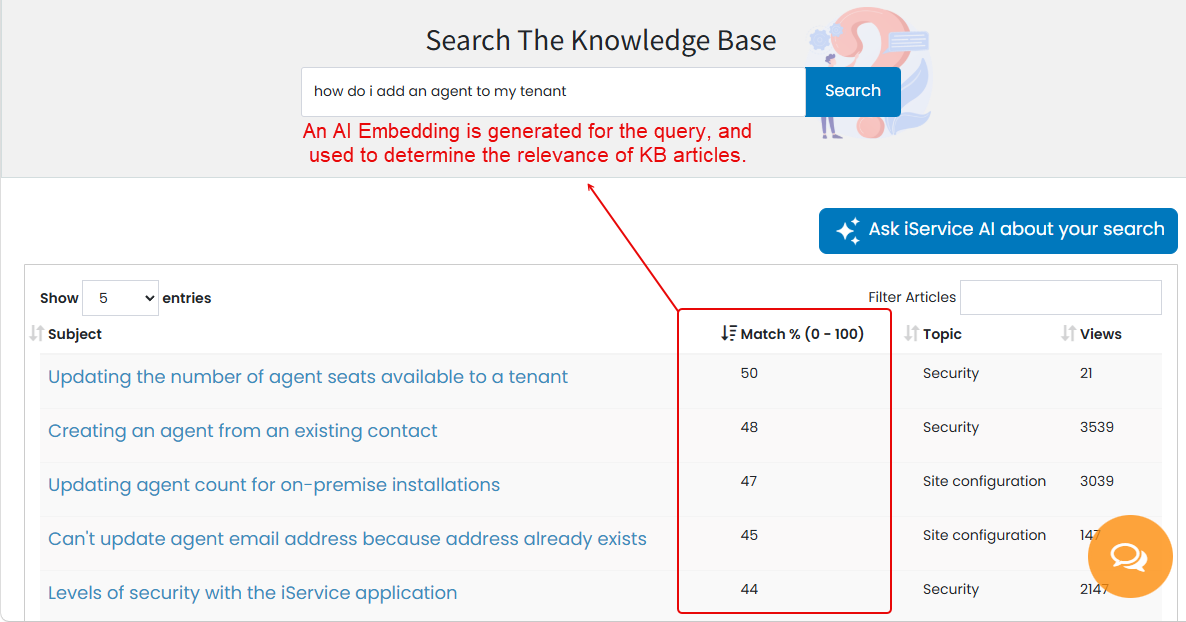
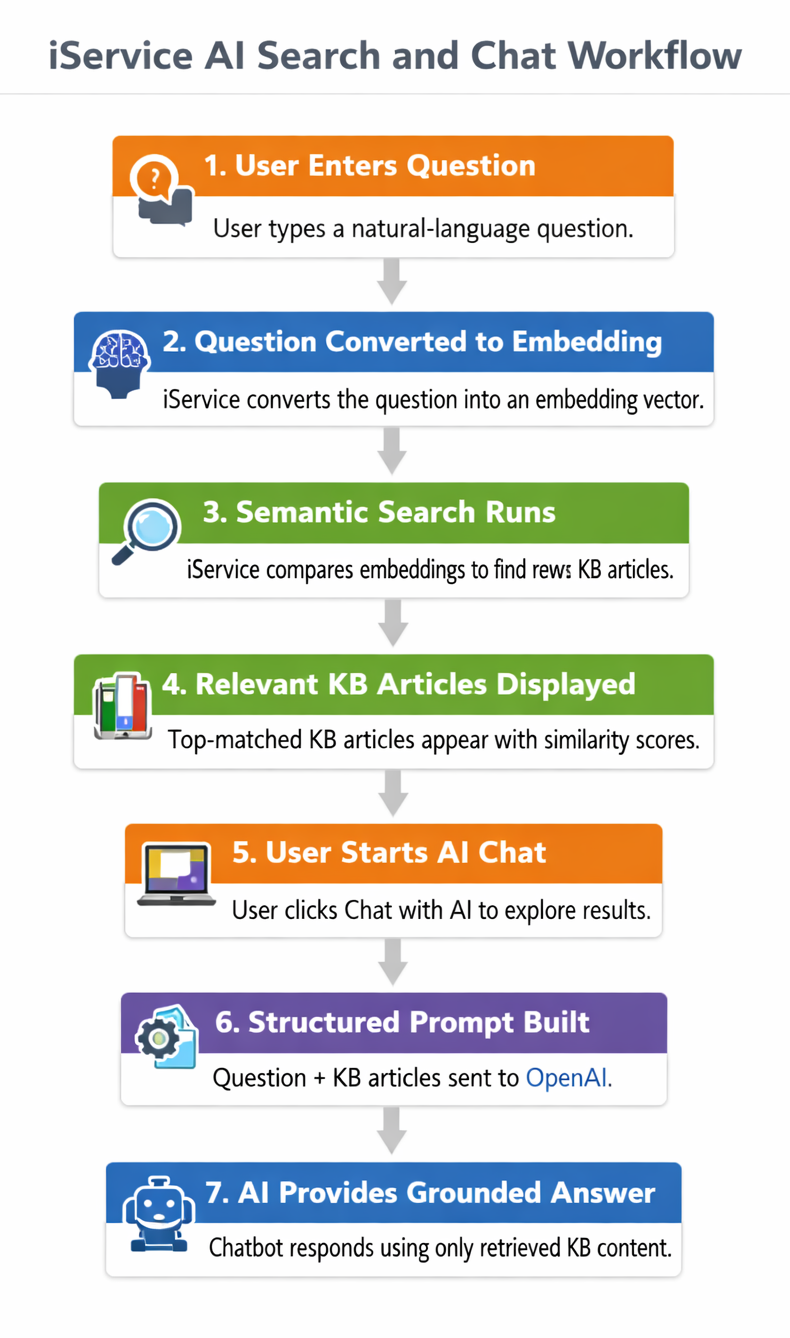
Knowledge Base (KB) articles in iService are enhanced with AI Embeddings, just like customer interactions. These embeddings allow iService to perform semantic search, meaning results are ranked by meaning rather than by keyword matches.
When a user types a question in natural language, iService uses an OpenAI Embeddings model to convert that question into a numerical representation — an embedding vector. The system then compares this vector to the stored embeddings of all KB articles using a cosine similarity algorithm. This process identifies which articles are most semantically similar to the user’s question.
The results are displayed in order of relevance, with the most closely matched articles appearing at the top. Each article includes a relevance score (Match %) that indicates how strongly its content aligns with the meaning of the user’s query.
This approach ensures that users find the most meaningful and contextually accurate information, even when their search terms don’t exactly match the wording used in the KB.
Once iService identifies the most relevant Knowledge Base (KB) articles, users can begin a guided conversation with the iService AI Chatbot configured for their tenant (see KB Chat Configuration). This chat experience allows users to explore the retrieved content interactively rather than reading static articles.
Articles with a relevance score above 0.40 are automatically passed to OpenAI along with a built‑in system prompt that defines how the chatbot should respond. The prompt ensures that the AI:
•Uses only the retrieved KB content and related context.
•Maintains a professional, factual tone.
•Avoids speculation or unrelated information.
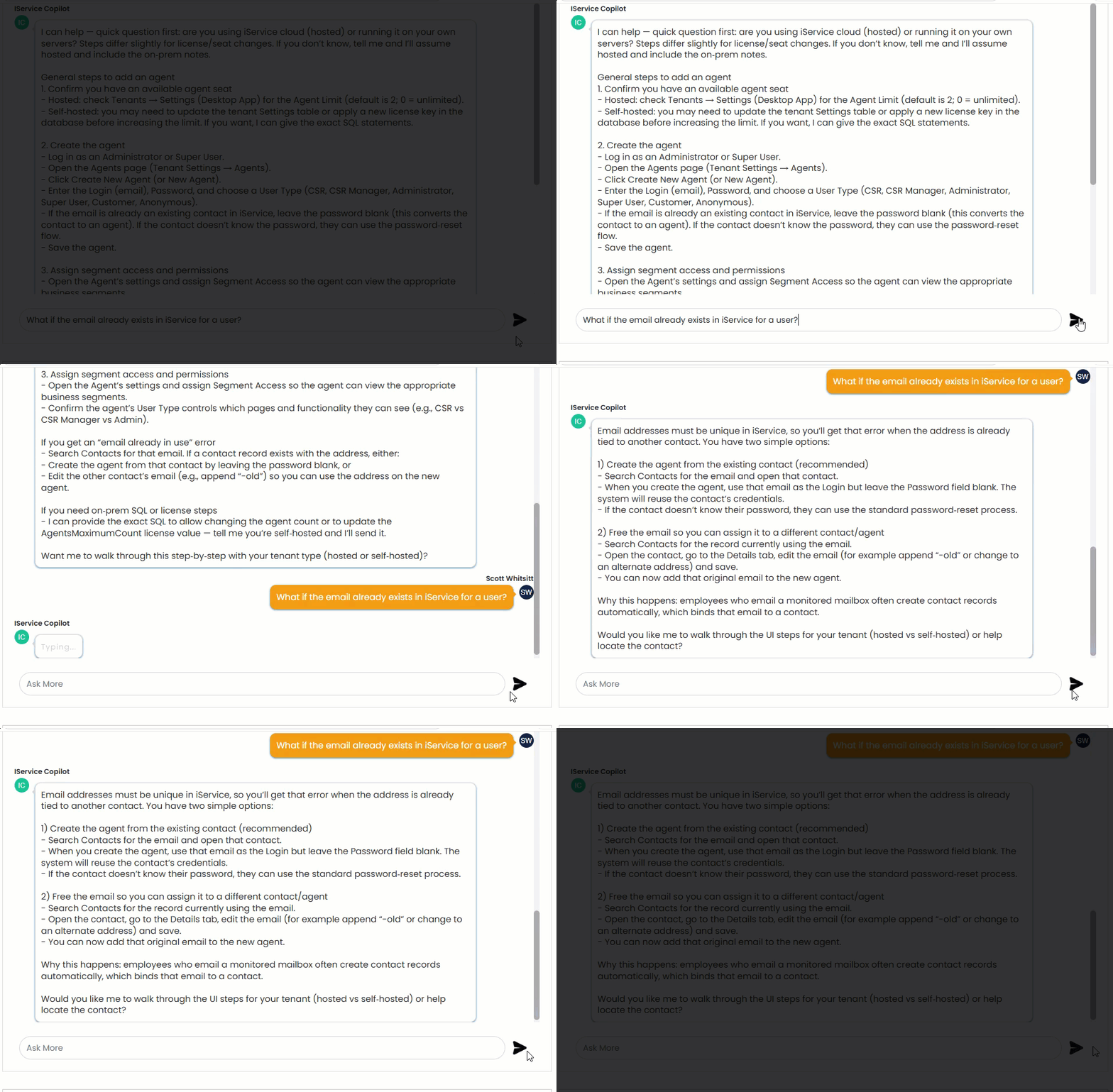
During the chat, users can ask follow‑up questions, request clarifications, or explore related topics. The chatbot dynamically references the retrieved KB articles to provide accurate, context‑aware answers.
This conversational layer transforms search results into an interactive support experience — helping users understand procedures, troubleshoot issues, and learn system features directly through dialogue.
 Configuration Options for the Tabs Customer Portal