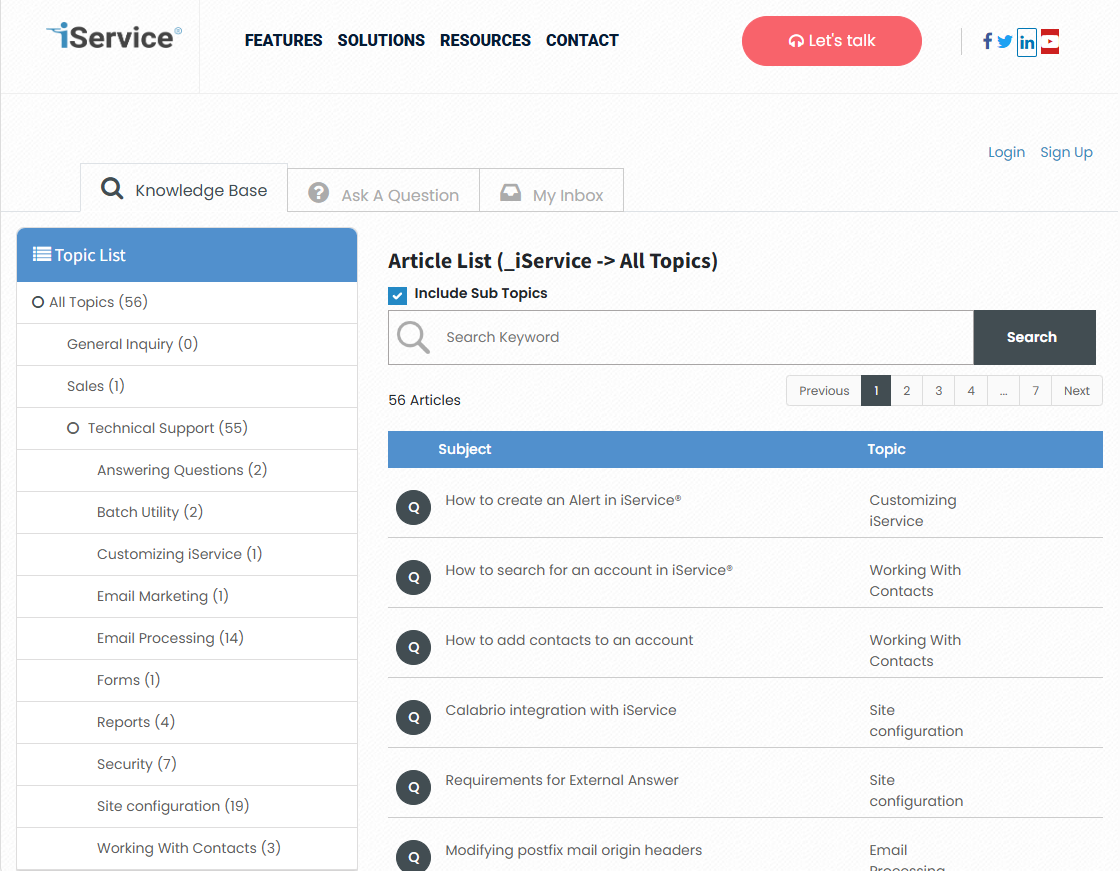
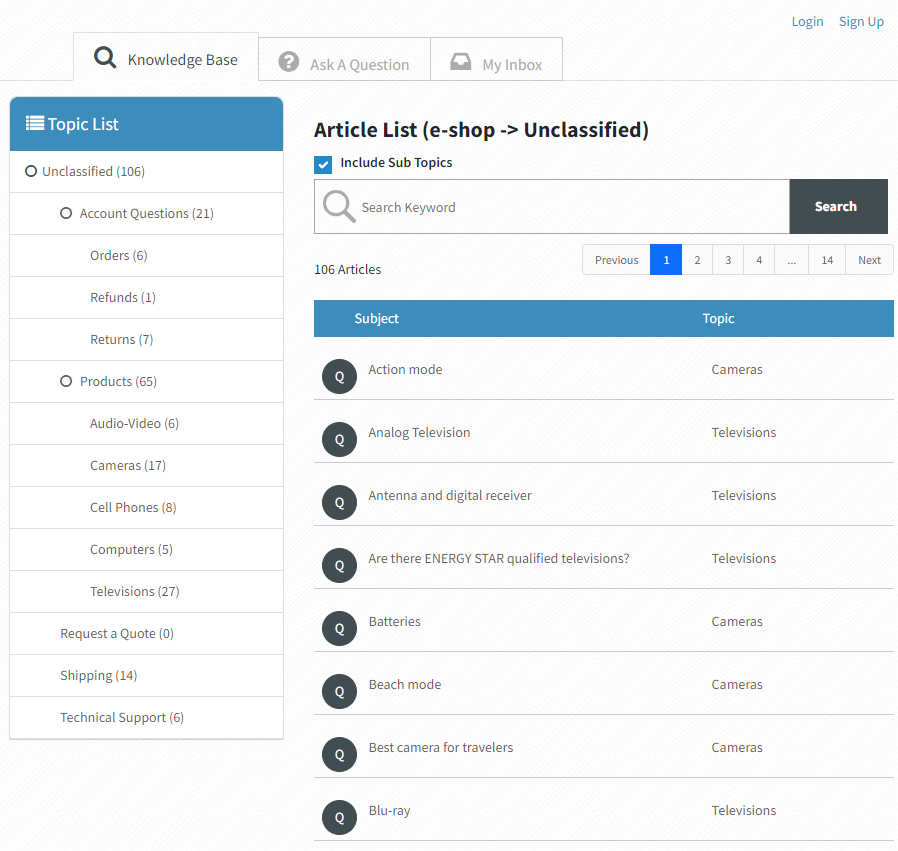
The Treeview portal is designed with a primary focus on the knowledge base article display. It displays the articles in your knowledge base using the topic tree structure from the segments assigned to your website. Most tenants use a single segment to drive the topic structure for their knowledge base, which results in a list of topics like the one below. The number of articles in each topic is shown next to the topic name, and users navigate by clicking the desired topic to view the article list. The forms for question submission and history are included in tabs next to the knowledge base (Ask a Question and My Inbox).
An example of the Treeview portal
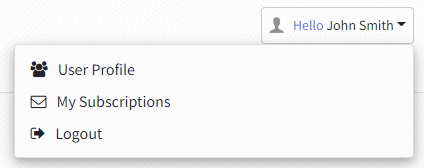
The contact details and subscriptions are presented as part of the Login panel after the user authenticates.
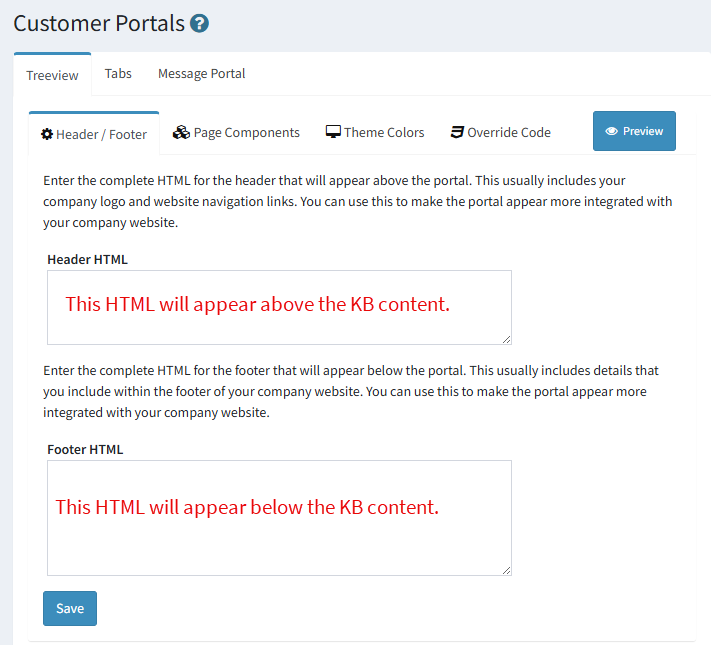
You can insert custom HTML above and below the Treeview portal so it blends seamlessly with your existing website. Paste your HTML without the <HTML> or <HEAD> tags into the text areas provided.
An example of the Treeview portal with the header in place is below.
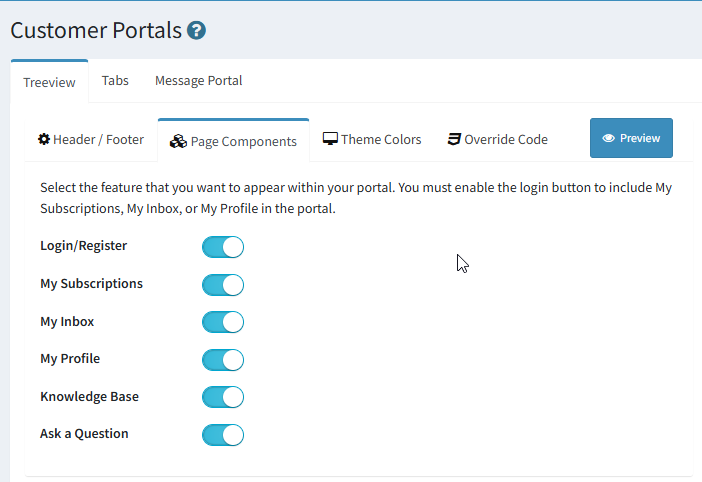
The Treeview portal includes several components that can be turned on or off. The Login/Register option must be enabled to display the My Subscriptions, My Inbox, and My Profile pages because they require user authentication.
Login / Register
When the Login / Register option is enabled users will see a Login and Sign Up link. The Sign Up link allows customers to create an iService account.
Click to expand image
The User Profile (My Details) and My Subscriptions are accessed from the user login button.
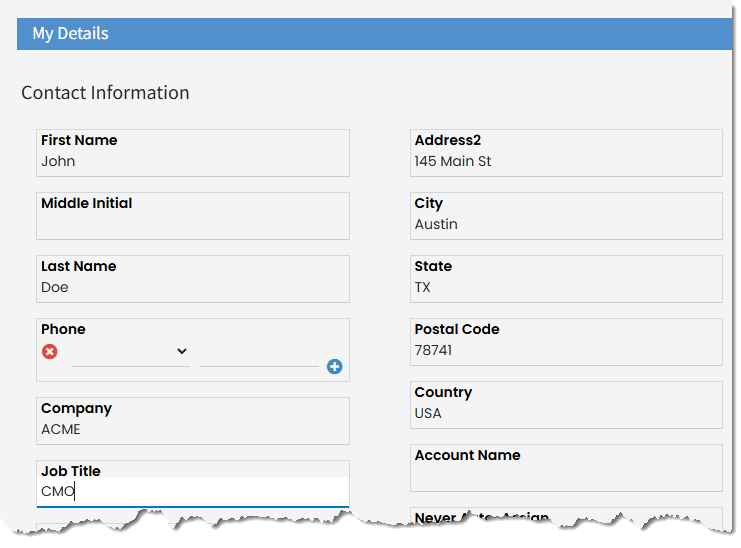
User Profile / My Details
Users can manage their contact information and other details about themselves and there account from the My Details section.
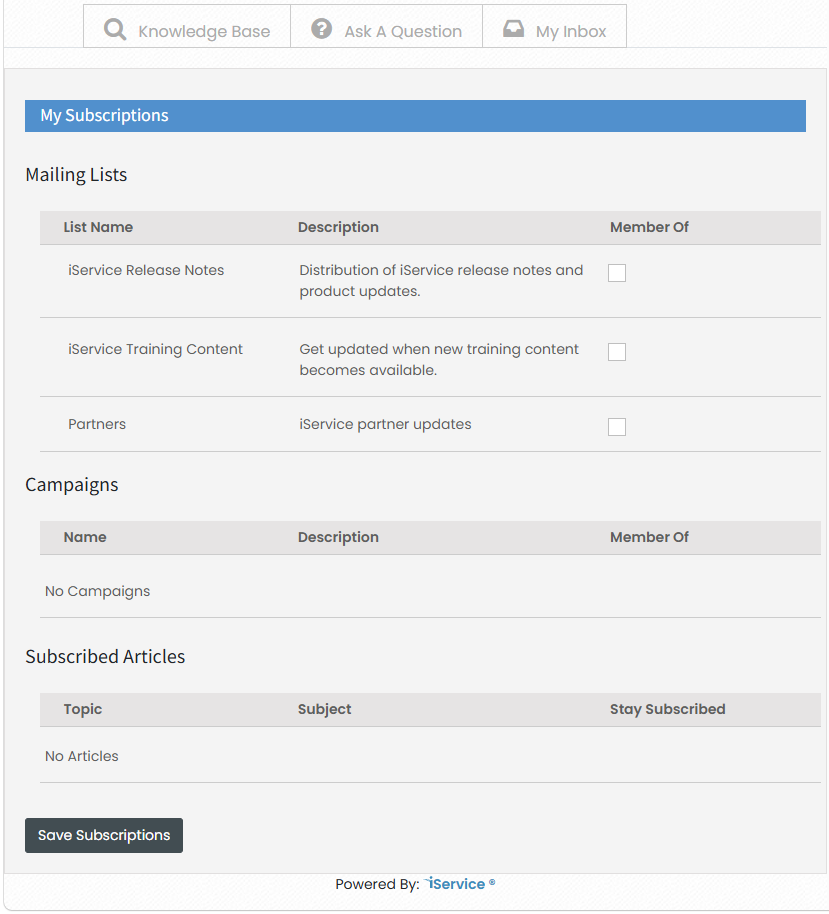
My Subscriptions
Users can manage their subscriptions to mailing lists, campaigns, and knowledge base articles from the subscriptions page.
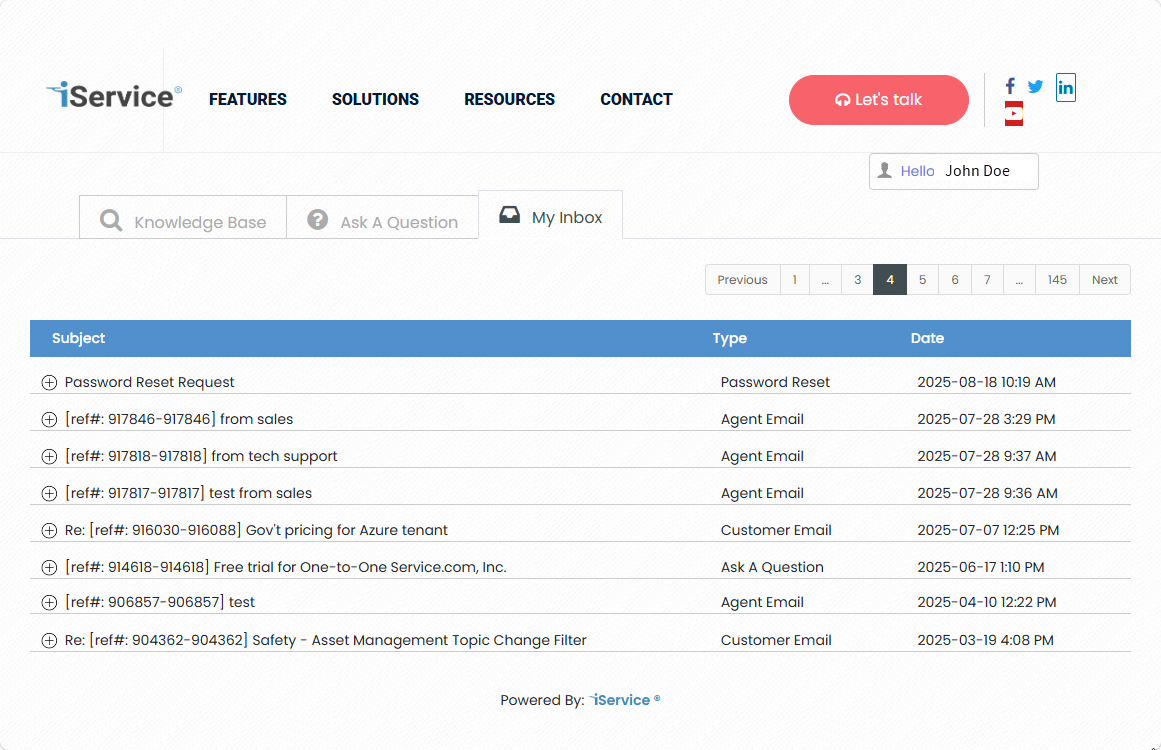
My Inbox
Every interaction with the customer, other than private notes, can be viewed in the My Inbox page.
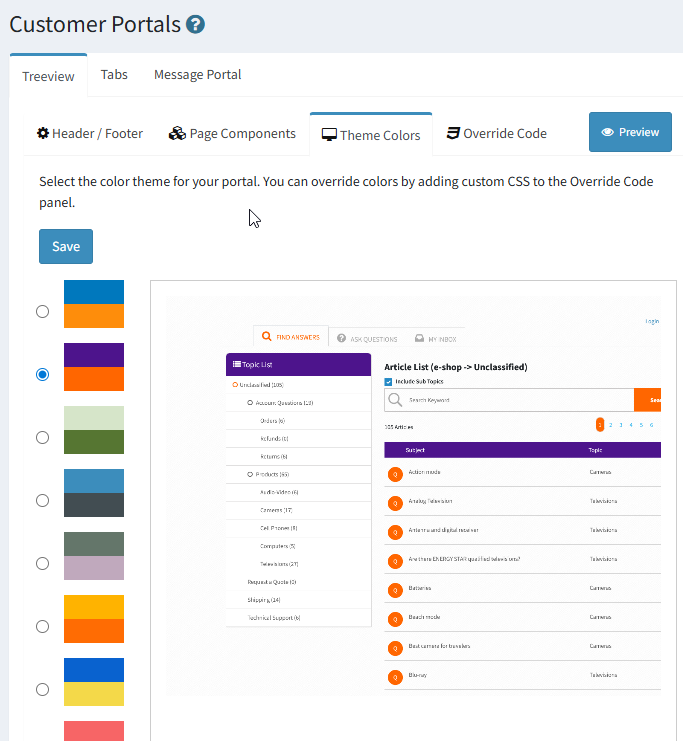
You can set the color scheme for your portal using one of the predefined themes. After you select a theme, view the thumbnail to ensure the colors fit your needs, and then click Save to update the theme colors.
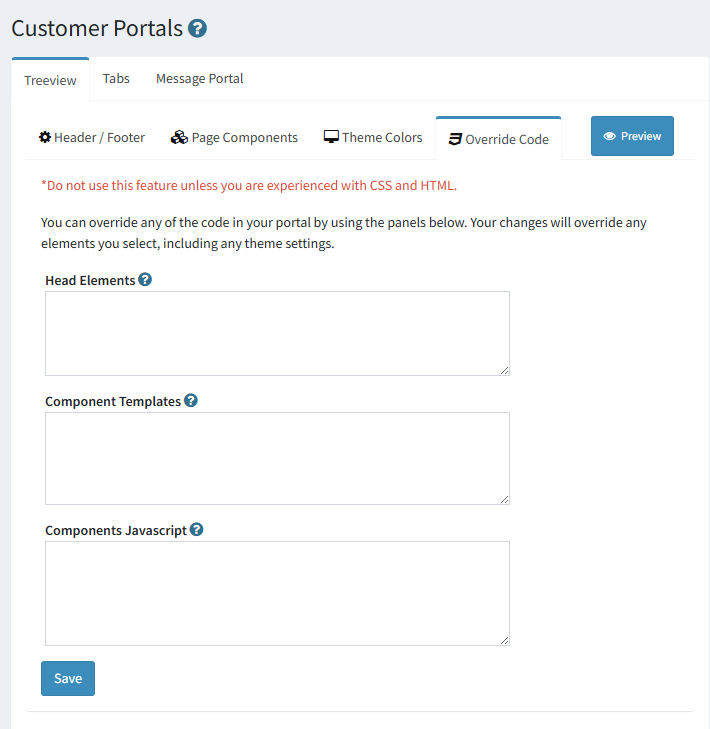
You can inject code into the portal to override CSS and JS using the override panels. Use the Head Elements panel for injecting code into the HEAD of the portal's HTML page. You can update the Vue component and JavaScript in the form using the component panels.
 Configuring the portal Header and Footer