 The Manage Salesforce Mappings page controls how iService synchronizes data with Salesforce. Use this page to define which Salesforce fields are monitored for changes, which iService properties they map to, and the direction of synchronization for each object type.
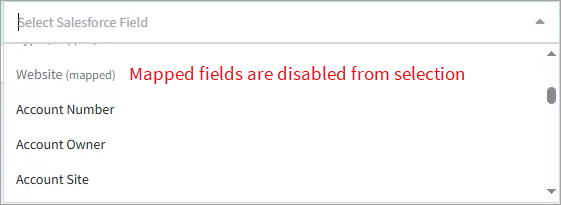
This page is central to the behavior of the Salesforce integration: only the fields listed here participate in sync, and sync events are generated exclusively from changes to these mapped fields. The mappings page organizes configuration into tabs for the account, contact, and case object types. Each object type is managed independently. You can enable sync for any combination of objects — for example, syncing only Contacts while leaving Accounts and Cases disabled.
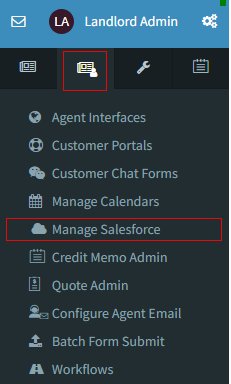
To open the Manage Salesforce Mappings page, click the Manage Salesforce button on the Custom Forms Admin menu as shown below.
Enabling an Object for Sync
When the Salesforce integration is first configured, all object types load in a disabled state. This prevents accidental sync activity for objects that area not meant to be synced. For example, a tenant might only want to sync contact information and not monitor account or case objects.
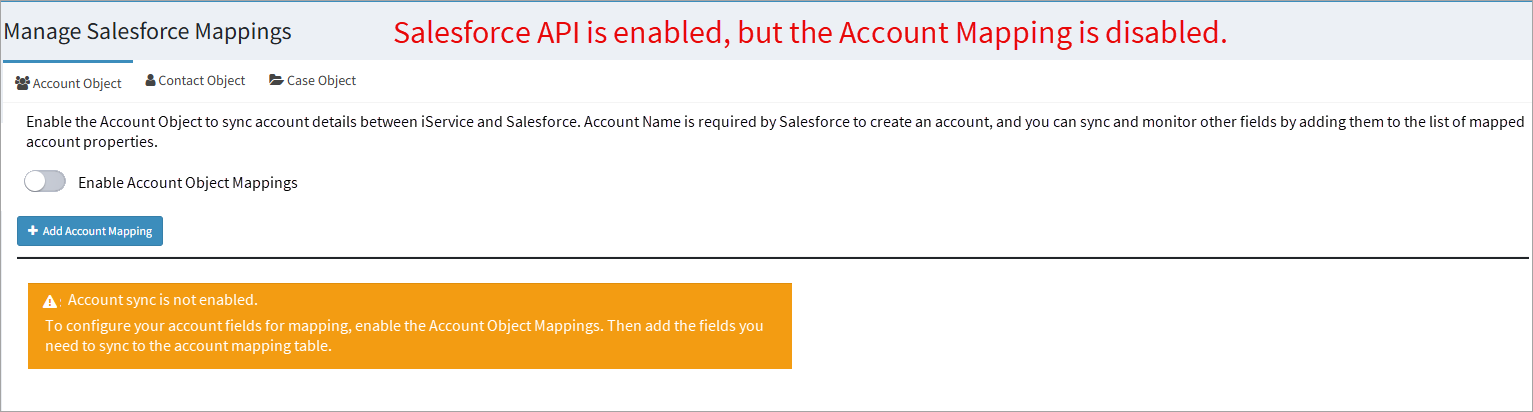
To enable sync for an object:
1. Click the tab for the object type you want to configure (e.g., Account Object).
2. Toggle the Enable [Object] Sync switch to the on position.
3. When an object is enabled, iService automatically adds all minimally required Salesforce fields to the mapping table. These required fields are locked and cannot be removed because they are required for outbound sync to Salesforce. .
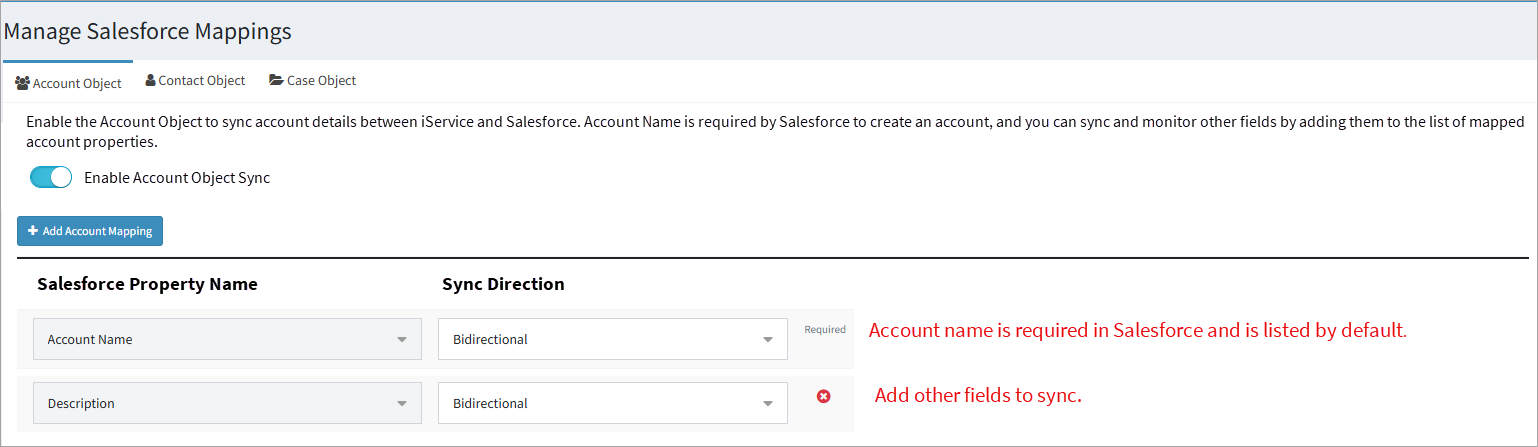
Note: Required fields are determined by Salesforce's base object schema — not by tenant-specific validation rules or custom required fields configured in your Salesforce org. Your Salesforce implementation may have other required fields that have been configured for your installation.
 How iService Properties Work with Salesforce Fields

The Salesforce Sync tab on the Server Process Management page is where you enable, disable, and monitor the synchronization process.
