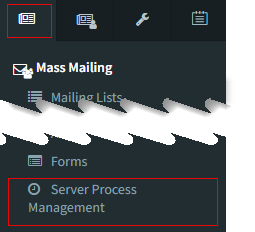
 iService exposes various server related processes via your iService tenant website. These include methods for enabling and disabling services, monitoring activity, viewing logs, etc.
These pages are used by system administrators to manage various aspects your iService tenant and are accessed from the Server Process Management link in the Admin Tools tab. These pages include the following.
The Agent Inactivity tab controls whether agents are logged out for inactivity. The inactivity check should only be disabled if you have a specific use case that makes automated logout undesirable.
The interaction purge settings will permanently delete interactions that match the age specified. Use these settings with care because deleted interactions cannot be recovered.
The AI Embeddings tab controls the creation of AI embeddings for iService interactions used in semantic search.
The SMTP Out Monitor provides a list of outgoing email messages that could not be delivered to the recipient. iService will retry sending, but in most cases these messages will not be delivered because of an issue with the recipients address.
The Salesforce Sync tab includes switches for turning the integration on and off, and display active sync queues.
The Calendar Sync Out tab

