Stock responses provide a convenient and efficient way for agents to build answers to commonly asked questions. There are three types of Stock Responses: Message, Chat, and AI Prompts. Responses can be created for a Segment, by an agent as their own personal responses, or shared from other segments. Responses created at the Segment level are available when viewing a question within that segment. Agent My Stock Responses are shown for the agent on every interaction, and are created in the My Stock Responses page. Agent responses can be viewed and edited by managers in the agent admin page.
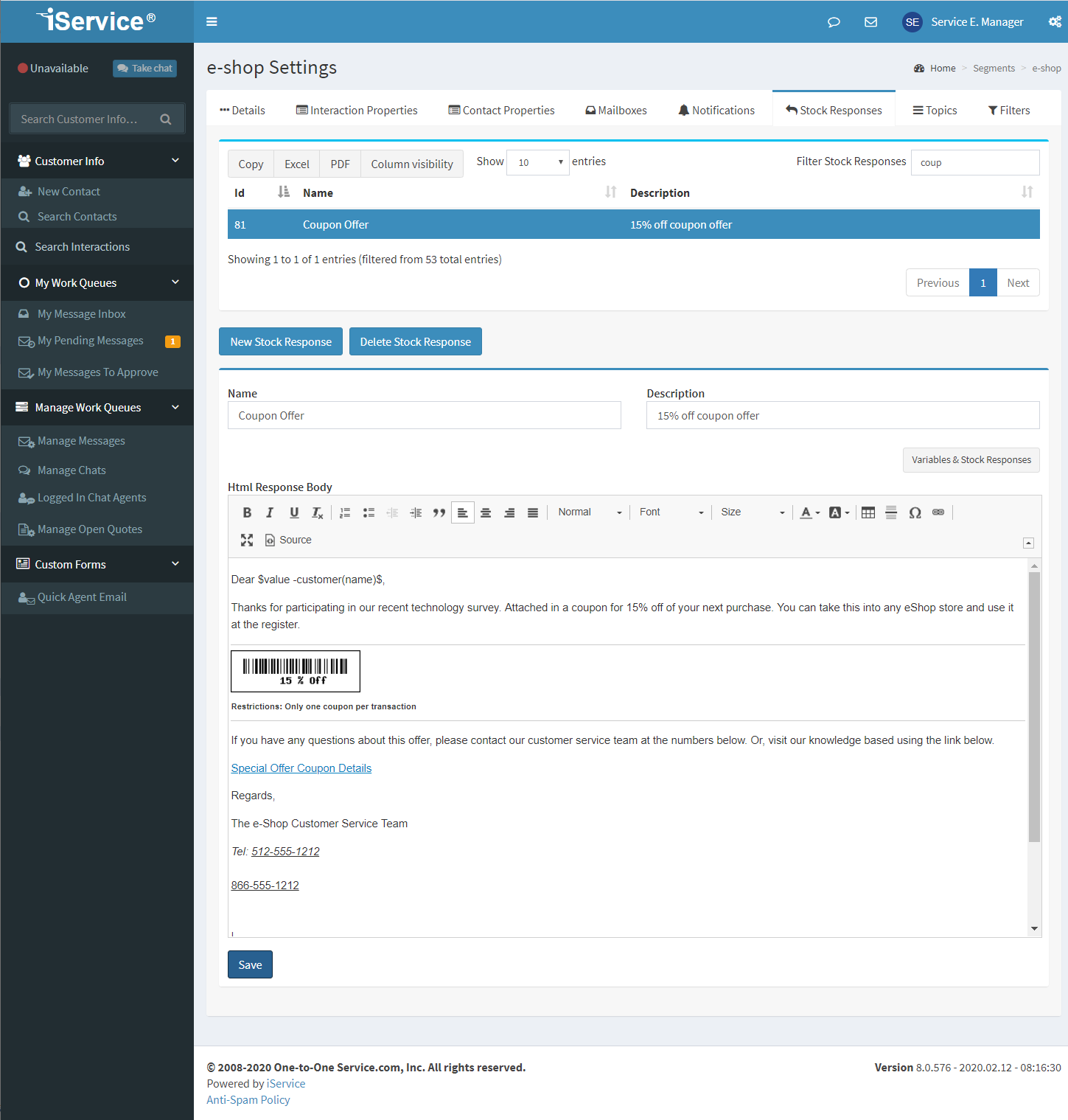
The Stock Response panel
The HTML body will be automatically converted to plain text for the plain text version of the response. You can include other stock responses and variables inside of a stock response, if desired. AI Prompts are created and saved in plain text without the rich text editor.
# |
Element Name |
Description |
|---|---|---|
1 |
ID |
The ID of the response. This is shown in the URL for direct linking to the configuration for the response. |
2 |
Name |
The name is displayed to agents in selection menus. |
3 |
Response Type |
There are three response types: message, chat, and AI prompt. |
4 |
Description |
A user added description to document the purpose of the response. The first 100 characters are shown in tooltips to agents. |
5 |
Filter List |
Filter the list of response base on any value shown. |
6 |
New Stock Response |
Create a new response. |
7 |
Delete Stock Response |
Delete the response. Once deleted, it can no longer be retrieved. Caution: before you delete a response, check to ensure that it is not included in other responses. |
Important Note Regarding Pasting Content Into a Stock Response
When pasting content into the Stock Response, keep in mind that you are pasting into a web-based rich text editor. Never paste content directly from a word processing program (e.g., Microsoft Word), because those programs use embedded proprietary codes to manage their display. These codes are NOT HTML compatible, and although you may not see them in the rich text version of the editor, you will see them in the source of the response. These codes may cause messages to be malformed when viewed in non-Windows viewers (web pages, yahoo email, etc.).
